Import a wallet from Safe
Last updated 2 months ago
Summary
Import an existing Safe wallet into Reah to manage onchain treasury, fiat operations, and stablecoin workflows in one finance workspace. This guide covers two import methods: importing before you have a Reah account, and importing from the Wallets page in an existing business account.
Before you start
- You need access to a wallet address that is associated with the Safe wallet you want to import.
- To import from the Wallets page (Option 2), you need an existing Reah business account.
- Importing does not change your original Safe setup. Your wallet continues to function independently in Safe.
- Existing signers, signing permissions, supported networks, and balances are preserved.
Option 1: Import before signing up
Use this method if you do not have a Reah account yet, or if you are starting from the Safe import entry page.
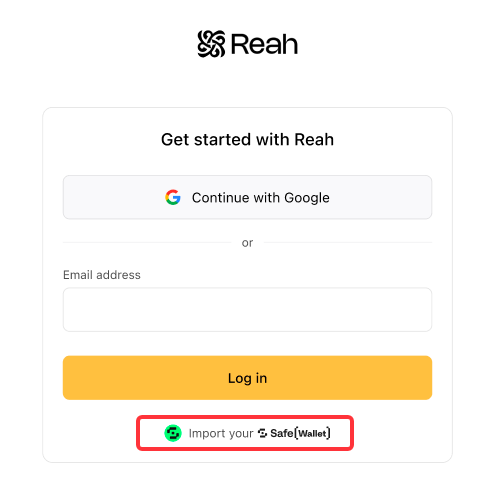
- Open the Safe import page — Select “Import your Safe Wallet” to begin.
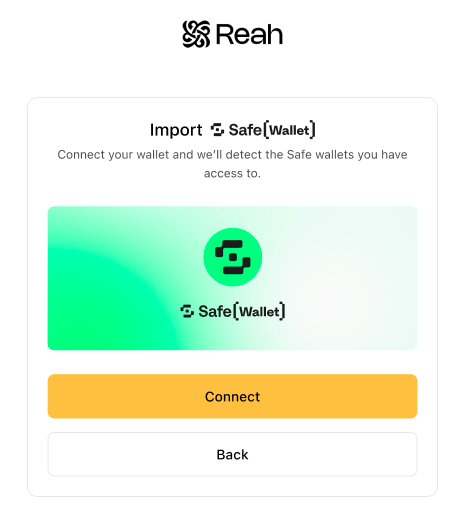
- Connect your wallet — Click ‘Connect’ and choose a wallet provider (WalletConnect, MetaMask, Coinbase Wallet, Binance Wallet, or OKX Wallet) and approve the connection.
- Select the Safe wallet to import — Reah displays the Safe wallets associated with your connected address. Review the wallet address, available chains, and estimated total value, then select the wallet you want to import.
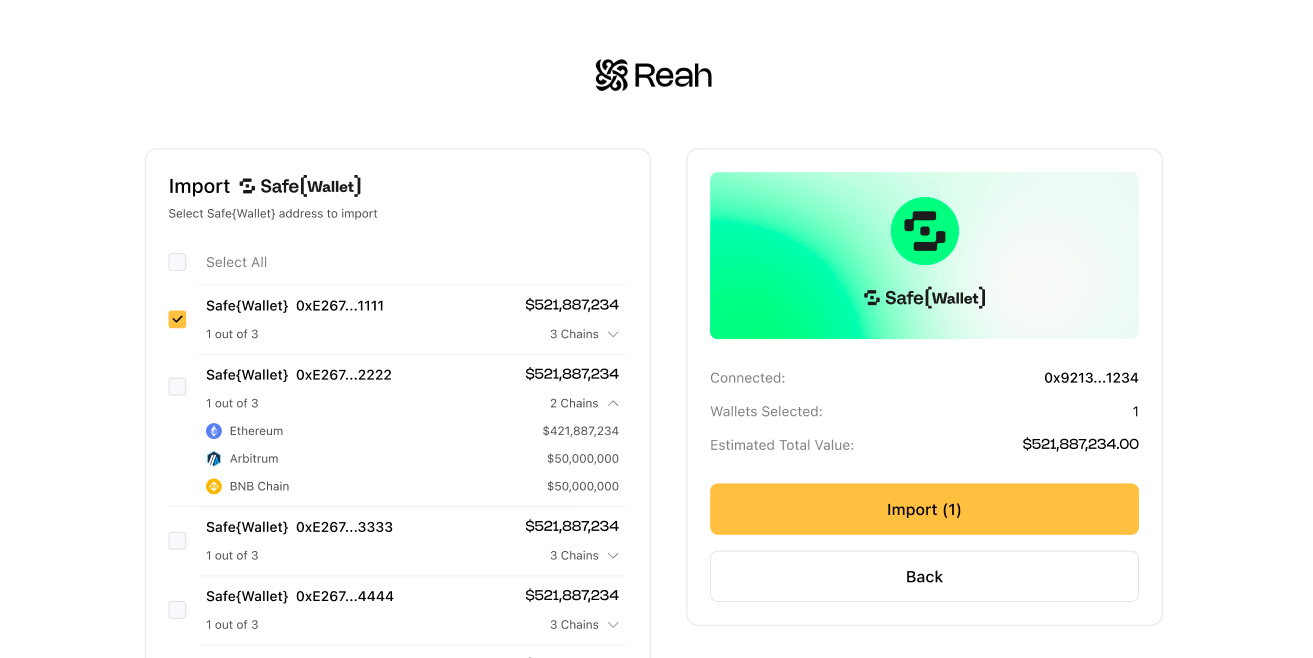
- Import the wallet — Select Import to bring the Safe wallet into Reah. If you are not signed in, Reah prompts you to sign up.
- Sign up and link the wallet — Create your Reah account using Google or email. After sign-up, the imported Safe wallet is linked to your account and ready to use inside Reah.
Option 2: Import from the Wallets page
Use this method if you are already signed in to a Reah business account.
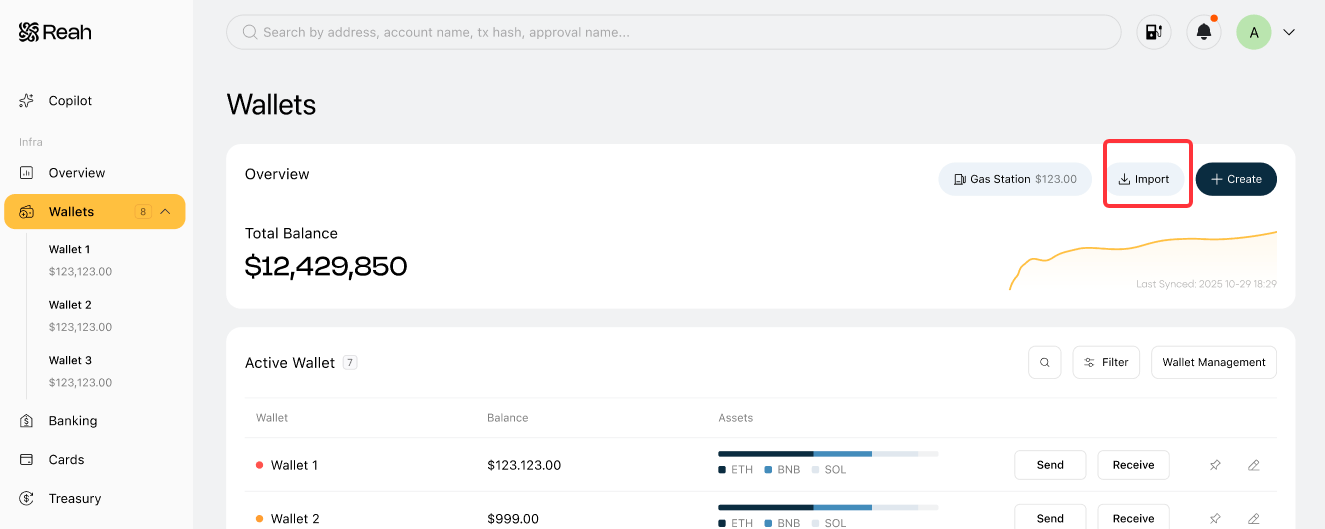
- Go to Wallets — Open Wallets from the left sidebar.
- Select Import — On the Wallets page, select Import in the top-right area.
- Connect your wallet and select Safe — Connect the wallet address associated with the Safe wallet you want to import, then select the wallet from the list. Review the address, chain details, and estimated value.
- Confirm the import — Select Import to add the Safe wallet. Reah then asks you to give the wallet a name and select a tag color.
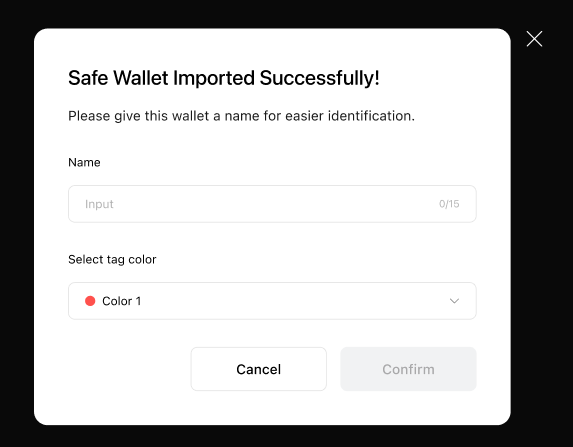
- Verify the imported wallet — Confirm that:
- The wallet appears in Wallets with the correct name
- The wallet address is correct
- Supported chains and balances display correctly
- Existing signers and permissions are intact
- The wallet is ready for onchain transactions within Reah
Notes & edge cases
- Safe wallet does not appear in the import list — Make sure you connected a wallet address that has access to that Safe wallet. If the address is not associated with the wallet, it will not show up.
- Importing a Safe wallet does not modify it in any way — Reah only connects to your existing wallet. Your signers, permissions, and approval setup remain unchanged and fully under your control.
- Imported before signing up — Complete your Reah account creation so the wallet can be linked and used.
What gets imported — and what does not
What gets imported into Reah
When you import a Safe wallet into Reah, the following data and activity become visible and manageable inside your Reah workspace:
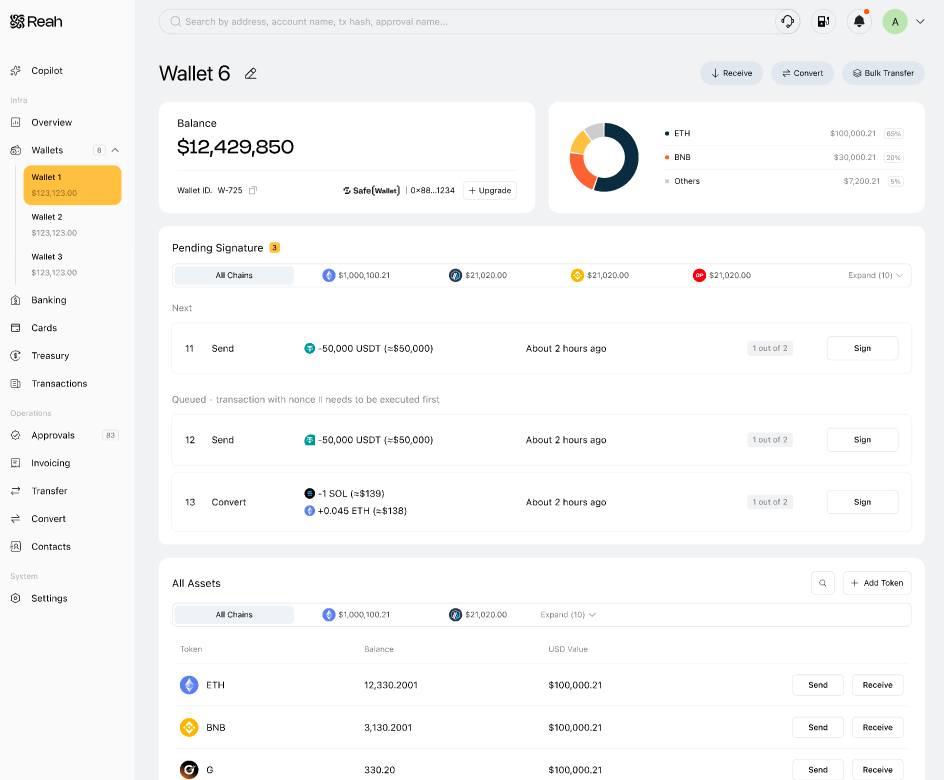
- Wallet asset balances
- Historical transaction activity
- Pending transactions awaiting signatures
Imported wallet balances are aggregated together with your existing Reah wallet balances, giving your team a unified portfolio and treasury view across both Safe and native Reah wallets.
What does not get imported
The following components remain fully managed by Safe and are not migrated into Reah:
- Existing signer accounts
- Safe signing flows and approval configuration
- Safe ownership structure and permission model
Because Reah does not currently connect or custody signer wallets — and cannot guarantee that all Safe signers have migrated into Reah — transaction signing for imported Safe wallets must still be completed within the Safe platform.
When a Safe transaction requires signatures:
- Reah displays the transaction in the Pending Transactions section
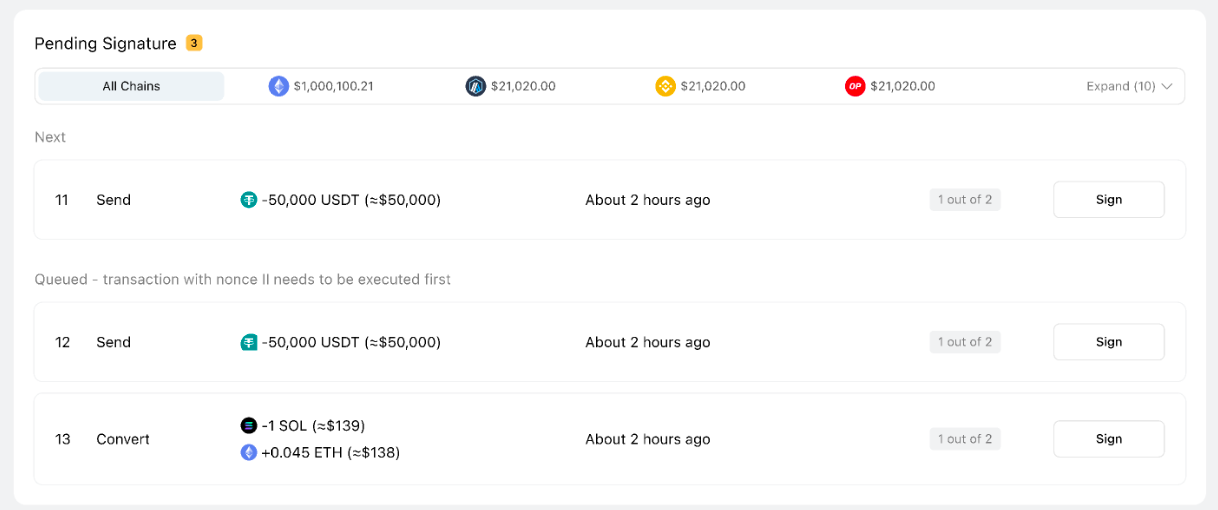
- Clicking the transaction redirects you to the corresponding Safe signing page
- Connect your signer wallet and complete the signature flow normally in Safe
Want the full Reah approval-policy experience?
If you want to use Reah-native wallet approvals, workflows, and policy controls, you can migrate assets from your imported Safe wallet into a native Reah Wallet.
To do this:
- Create a new wallet in Reah
- Select Upgrade to convert it into a Reah Wallet
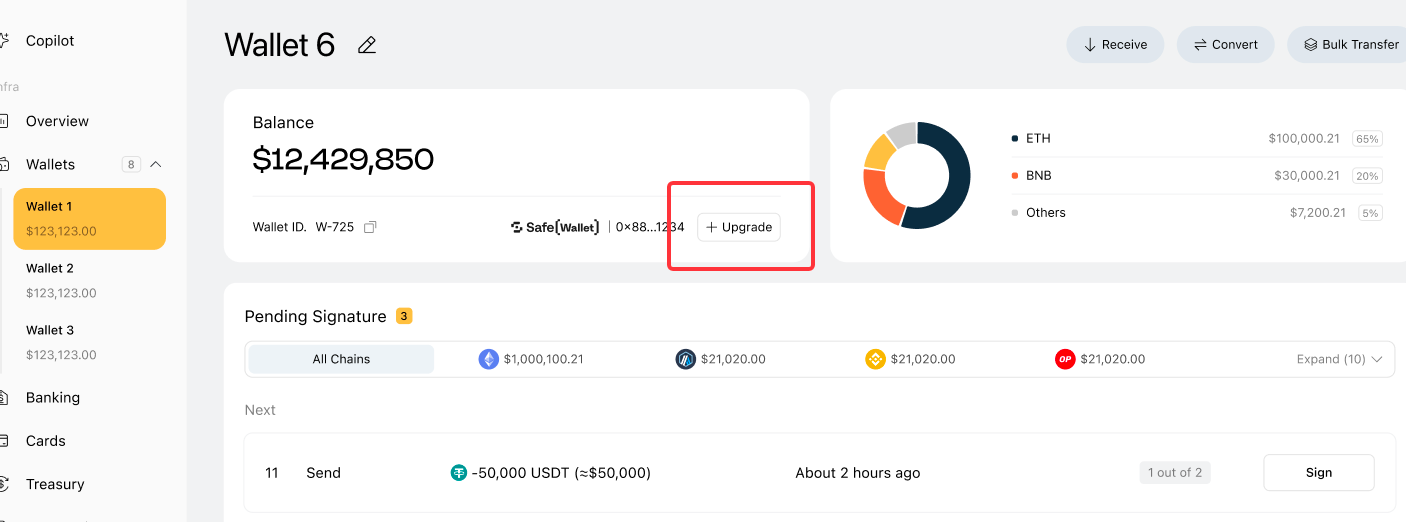
- Open the new wallet and click Receive to get the deposit address for the corresponding chain
- After selecting the chain, you can click any token on that network to get the correct receive address. For example, if you want the wallet’s address on Arbitrum, you can select any token on the Arbitrum network.
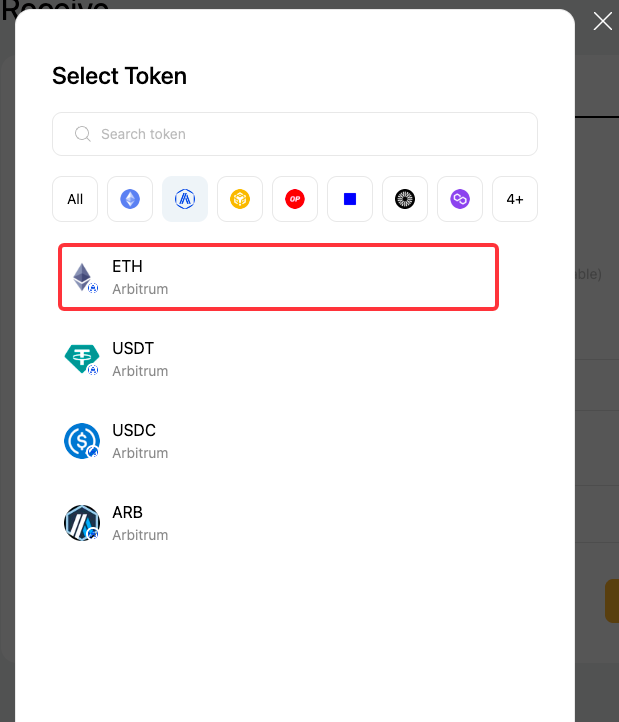
- The receive address will be the same for all of them, since they all map to the same wallet address on Arbitrum.
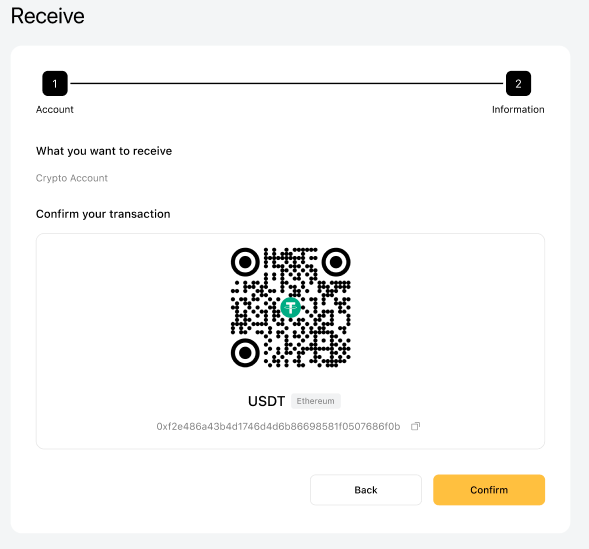
- After selecting the chain, you can click any token on that network to get the correct receive address. For example, if you want the wallet’s address on Arbitrum, you can select any token on the Arbitrum network.
- During the upgrade flow, Reah uses Safe’s Drain functionality to help transfer assets from your Safe wallet into the new Reah wallet
- Assets can be migrated chain-by-chain at your own pace
Once migrated, the wallet can fully use Reah-native capabilities, including:
- Approval Policy–based transaction controls
- Unified approval workflows
- Reah-native signing and treasury operations
- Automated operational workflows and policy enforcement
What you can do next
Was this helpful?
Still need help? Ask the team