Enable cards for your business
Last updated 2 months ago
Summary
Use this guide to enable cards for your business in Reah. Enabling cards gives your business access to card-based spending from one balance with real-time visibility inside the same financial system it uses for broader finance operations.
Before you begin
- You have the business details and documentation needed for KYB
How to enable cards for your business
- Sign in to your Reah account.
- Open the card setup flow in Reah.
- Complete the KYB process.
- The KYB process must be completed by the Owner or an admin.
- The entry point for KYB can be found in the Tasks section on the homepage.
- Submit the requested business and account information.
What happens after you enable cards
Once enabled, cards can be used for business spending inside Reah with real-time visibility into card activity and spend.
Why businesses enable cards in Reah
- Spend from one balance with real-time visibility
- Keep card activity inside the same financial system as the rest of their operations
- Manage business spending in a more unified workflow
Fund your card account
All spending on Reah cards comes from the Card Account, so you need to transfer funds into it. Reah cards currently do not support using treasury funds.
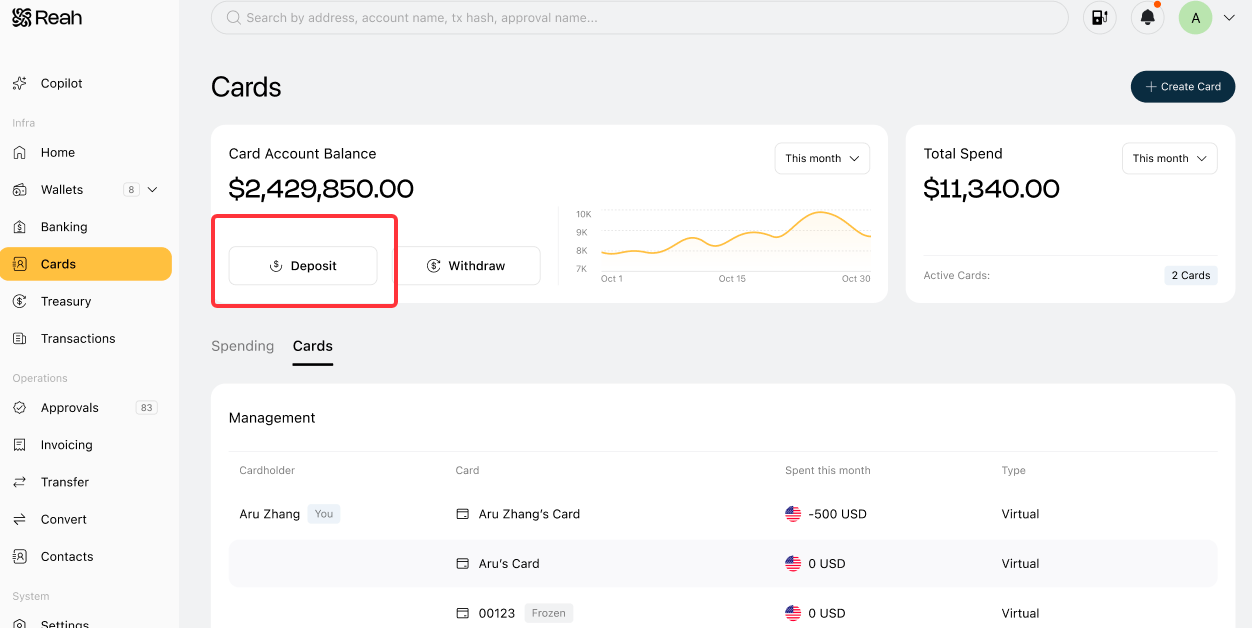
You can choose to transfer assets from any account in Banking or Wallet to the Card Account. Since the settlement currency for cards is USD, when crypto is deposited into the Card Account the system will perform a crypto-to-fiat conversion (off-ramp).
What to do next
Was this helpful?
Still need help? Ask the team