Create a corporate card
Last updated 2 months ago
Summary
Use this guide to create a corporate card in Reah so your business can assign spend to the right cardholder, apply clear limits, and keep card activity visible inside one finance system.
How corporate cards work in Reah
Reah allows businesses to issue corporate cards as part of their broader finance operations. Instead of managing card spend separately from the rest of your financial workflows, Reah keeps card issuance connected to your workspace permissions, approval structure, and operating controls.
Depending on your setup, card issuance may be tied to entity configuration, KYB status, internal permissions, approval rules, and the card program available to your business.
Before you create a corporate card
Before issuing a card, confirm:
- Your business has completed KYB and any required card onboarding steps in Reah
- The intended cardholder should have permission to make purchases for the business
- The card has a clear operating purpose, such as travel, software, vendor payments, or team spend
- The correct spending limit and policy settings are ready to apply
- Someone on the finance or operations side owns review of the card after issuance
How to create a corporate card in Reah
- Open Cards in your Reah workspace.
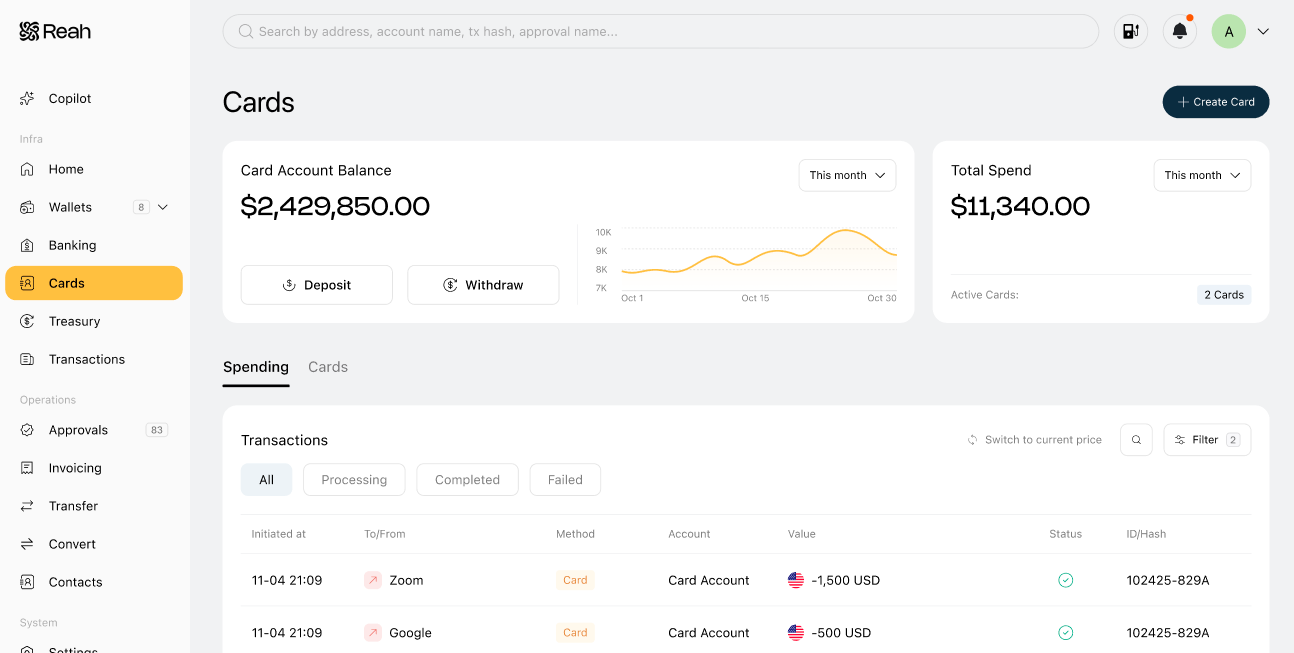
- Click Create card on the Cards page.
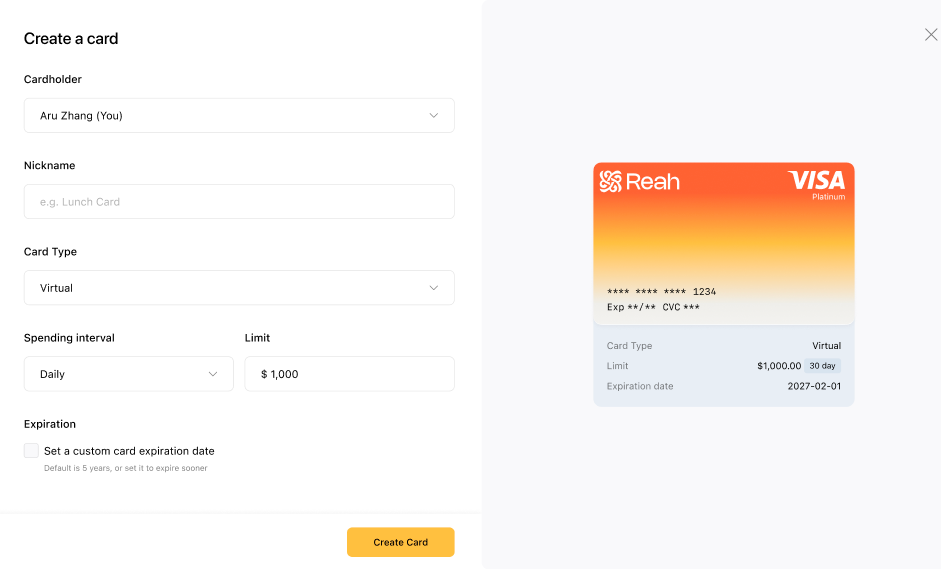
- Select the cardholder.
- Set your card spending controls, such as:
- Spending limit
- Any available merchant or usage restrictions
- Review the details, then submit the card creation request.
- If your workspace requires approvals, wait for the card request to be approved before the card becomes active.
- Return to Cards to track the card status and manage limits after the card is issued.
What to check after the card is issued
- The correct cardholder has been assigned
- The spending limit matches the intended use case
- The card is active and ready to use
- Any merchant or policy restrictions are set correctly
- The right internal owner is monitoring card activity
Best practices
- Issue cards for a defined business use case, not general convenience
- Assign each card to a clear owner
- Set limits before the card is used for live spend
- Align access and policy settings with the cardholder's role
- Avoid shared-use cards unless accountability is explicit
What to do next
Was this helpful?
Still need help? Ask the team