Deposit crypto
Last updated 4 months ago
Summary
Use this guide to deposit crypto into Reah from an external wallet. This article explains how to send digital assets into your Reah balance, how crypto deposits work, and why a deposit may be delayed.
How crypto deposits work
A crypto deposit in Reah is an incoming onchain transfer from an external wallet into your Reah wallet address. Once the deposit is confirmed onchain and recognized by Reah, the funds appear in your Reah balance and become available for supported workflows.
Before you deposit crypto
Before sending a deposit, confirm:
the asset is supported in Reah
the network is supported for that asset
you are using the correct Reah wallet address
the sending wallet or exchange is using the correct network
the deposit amount is within any applicable limits or operational requirements
How to deposit crypto into Reah
Open Receive in the sidebar
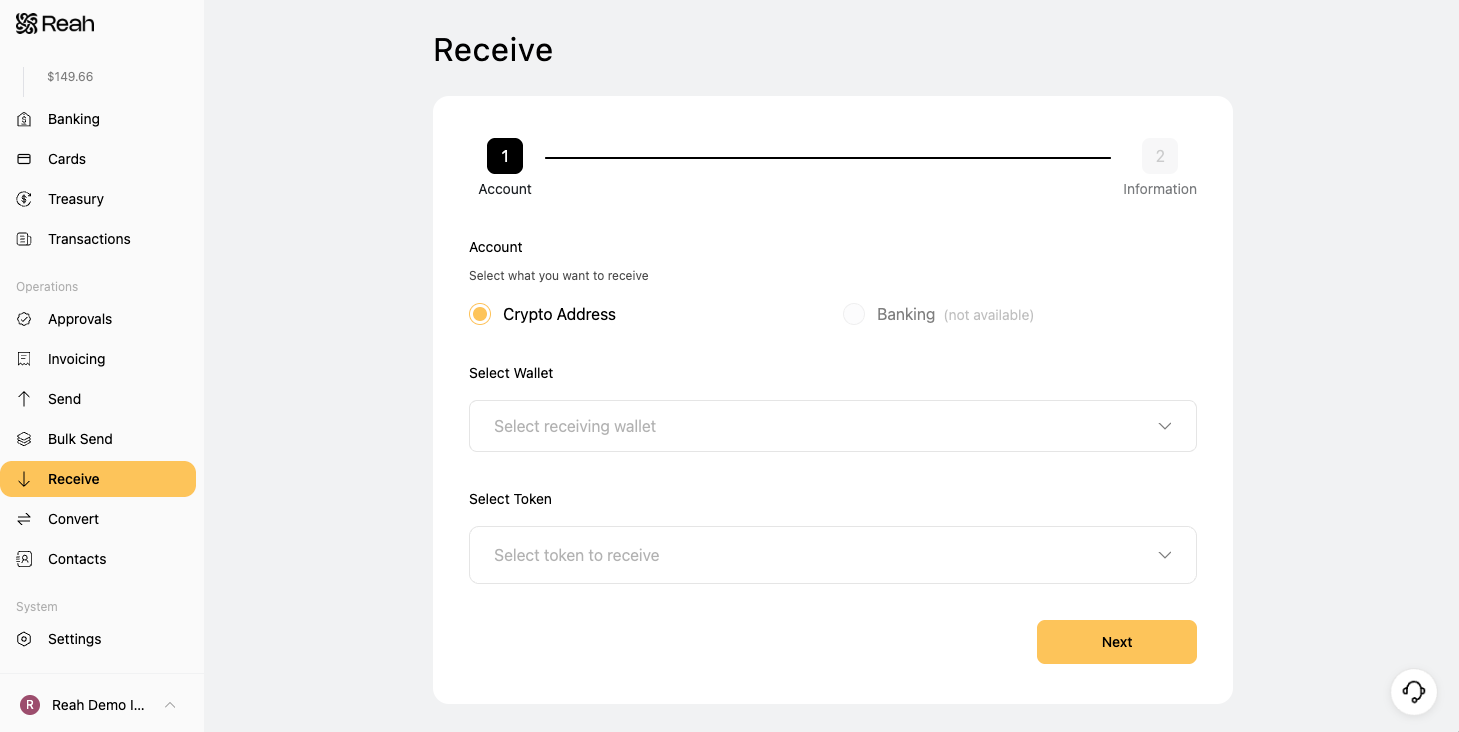
Select the asset you want to deposit
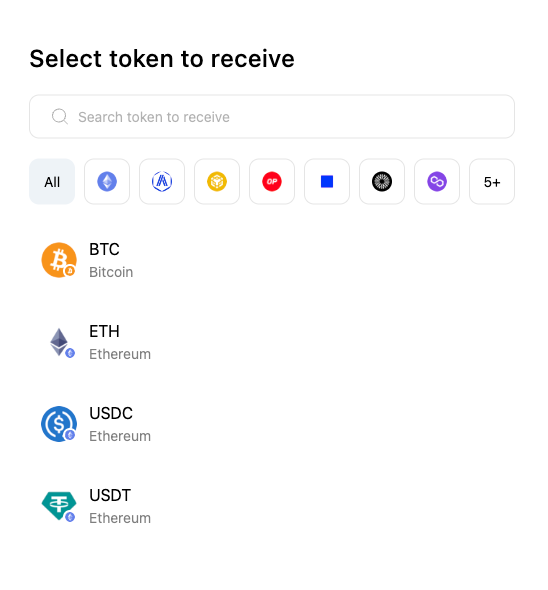
Click Next.
Confirm the network matches the one you will use to send funds.
Copy your Reah deposit address (or scan the QR code, if available).
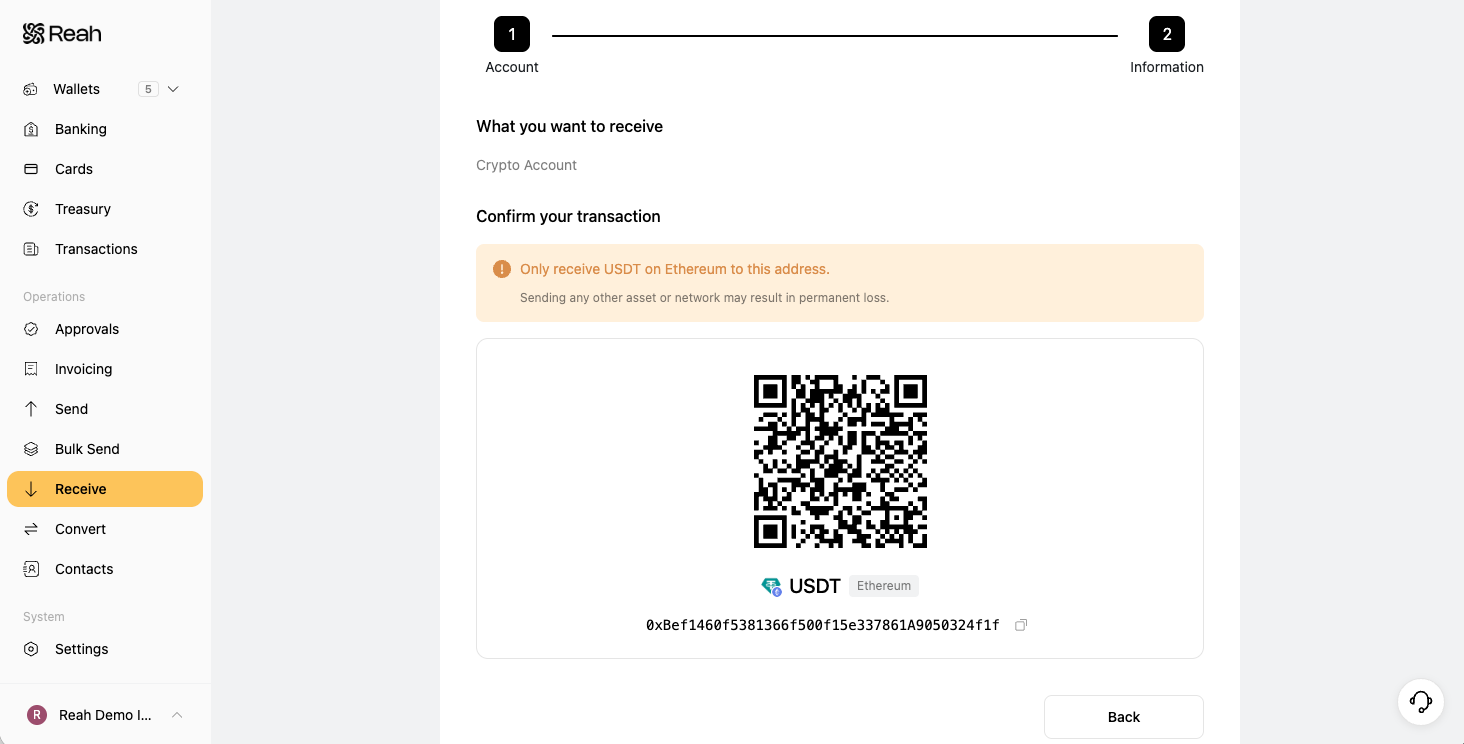
In your external wallet or exchange, start a transfer and paste the address.
Submit the transfer, then return to Reah to monitor the deposit status.
Deposit timing
Deposit timing depends on the blockchain network, confirmation requirements, network activity, and any required review steps. In general:
deposits may take longer when network activity is high
the funds may not appear in Reah until the required confirmations are completed
additional review can delay when funds appear in Reah
Why a deposit may be delayed
A crypto deposit may take longer if:
the transaction is still pending onchain
required confirmations have not been completed
the wrong network was used
the asset is unsupported
the deposit is under review
What to do next
Was this helpful?
Still need help? Ask the team