Export transaction records
Last updated About 2 months ago
Summary
You can export your transaction data from Reah as a CSV file.
Exports are based on account-level movements, providing a complete, auditable record of how funds move across accounts, assets, and rails within your organization.
What is included in an export
Exports in Reah are structured as a movement ledger, not a simple transaction list.
- 1 row = 1 account movement
- A single transaction may generate multiple rows
Each row represents:
- A change in balance for a specific account
- With a clear direction (In / Out) and asset
How transactions map to export rows
A single transaction may be split into multiple movements.
Examples:
- Send transaction
- Outgoing transfer
- Fee deduction
- Convert transaction
- Asset out
- Asset in
- Fee deduction
- Banking ↔ Wallet
- Banking out
- Wallet in
- Fee (if applicable)
This structure ensures your export can be used directly for reconciliation and accounting.
How to export
- Go to Transactions.
- Click Export.
- Select optional fields.
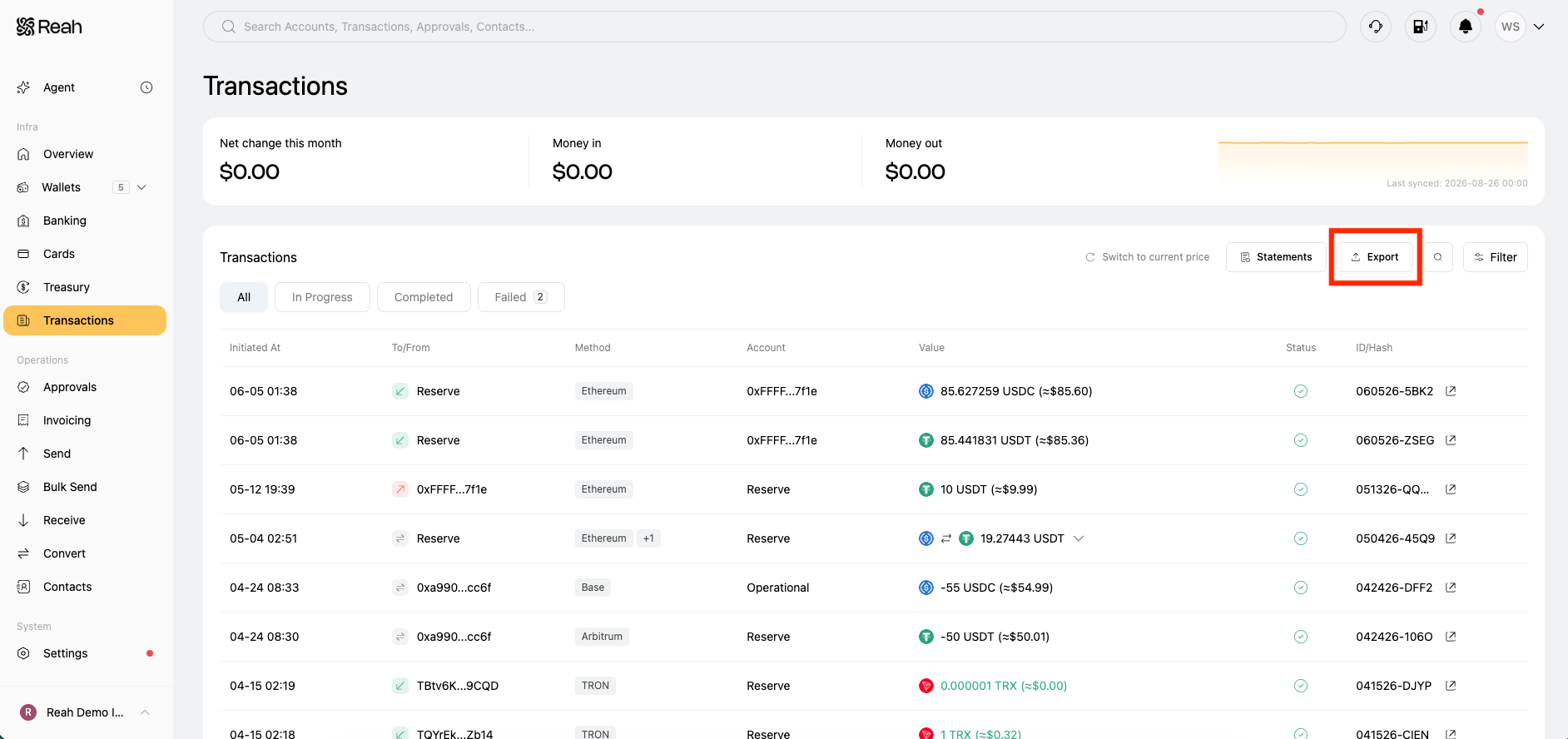
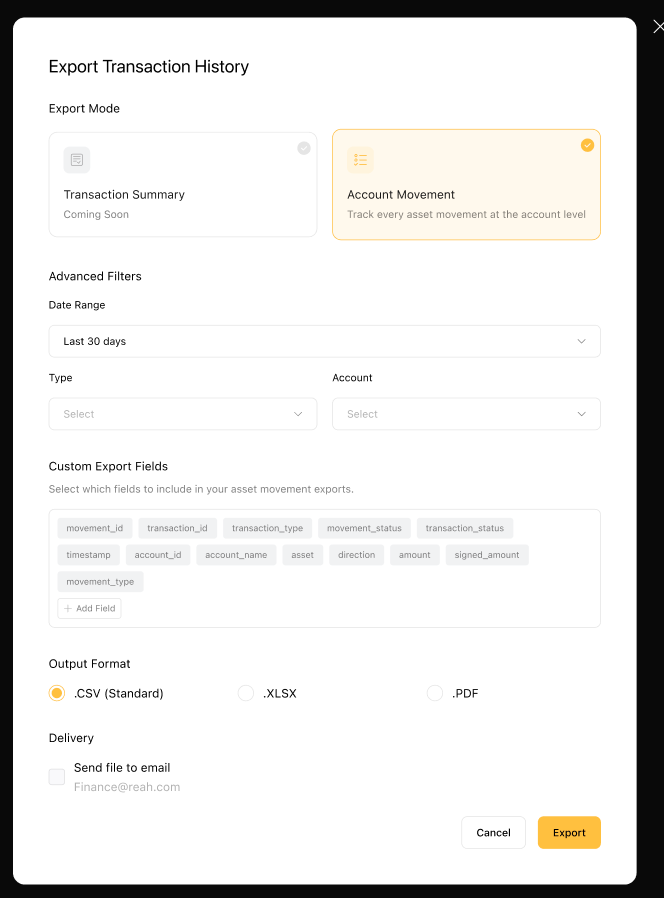
- Download the CSV file.
Need a consolidated monthly statement instead? Use Statements on the Transactions page — see View and download monthly statements.
Key fields in the export
Each export includes:
- Movement ID and Transaction ID
- Transaction type and status
- Account (source or destination)
- Counterparty details
- Asset and amount (including signed amount)
- Direction (In / Out)
- Network or payment method
- Reference IDs (e.g. bank or on-chain)
- Movement type (e.g. transfer, fee)
- Failure reason (if applicable)
Important notes
- Exports are generated per entity.
- Only fund movement activities are included.
- Administrative actions (e.g. approvals) are not included.
- One transaction may appear as multiple rows.
Was this helpful?
Still need help? Ask the team