Create a wallet
Last updated 5 months ago
Summary
Create a new crypto wallet in Reah to manage onchain treasury, stablecoin payments, bulk transfers, and multi-chain operations — all from one finance workspace.
Your workspace comes with a default wallet. This guide shows how to create additional wallets.
Before you start
- You have an active Reah workspace
- You have Account Management (edit) permissions
- If you want to use an existing Safe wallet, see Import a wallet from Safe
Steps
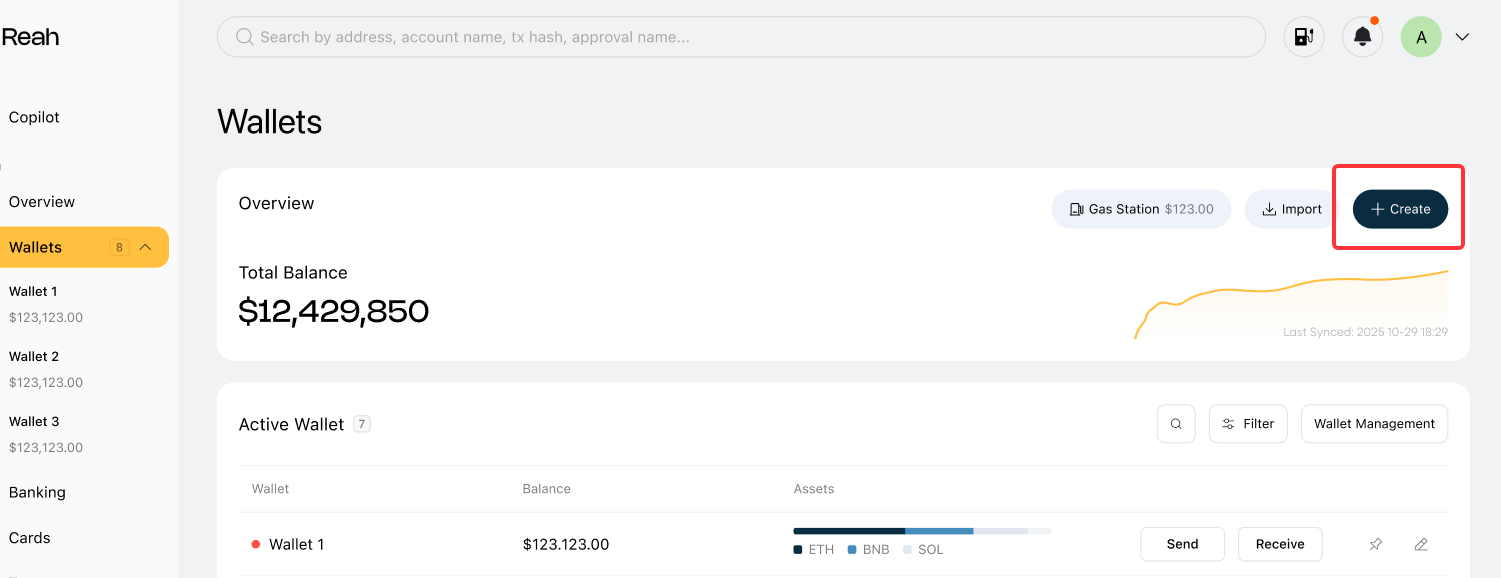
- Go to Wallets — In the left sidebar, select Wallets to open the Wallet Overview.
- Select Create — Select the + Create button in the Wallet Overview.
- Enter wallet details
- Name (optional) — If skipped, a default name will be assigned (e.g., Wallet 1)
- Color tag — Helps identify the wallet in lists and sidebar
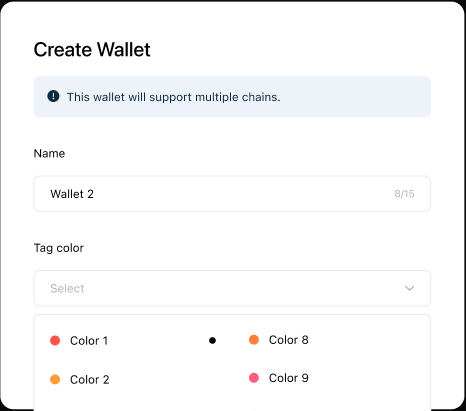
4. Confirm creation - Select Create to finish. Your new wallet will appear in your Wallets list.
What happens after you create a wallet
Reah creates a non-custodial, multi-chain wallet that supports all chains on the Reah network. Once created:
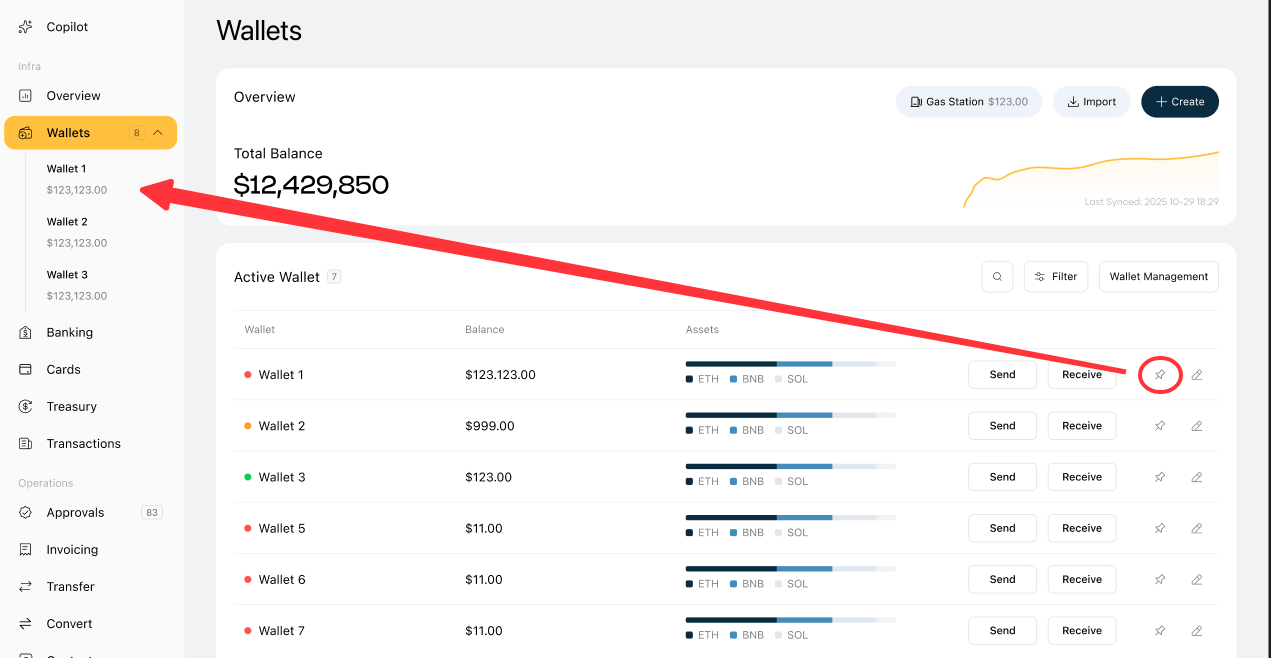
- The wallet appears in your Accounts list in Wallet Overview, showing its name, color tag, balance, and proportion of total assets.
- You can pin the wallet to the sidebar for quick access.
- The wallet is ready for Send, Receive, Convert, and Bulk Transfer operations.
- You can view assets by chain, add custom tokens, and access full transaction history from the wallet detail page.
Manage your wallets
- Wallet name can be changed later — You can rename or reorder wallets from the Wallet Overview using the manage icon.
- Multiple wallets supported — Create as many wallets as your business needs. Common setups include separate wallets for payroll, operations, reserves, and treasury.
- Permissions required — Only users with Account Management (edit) permissions can create, import, reorder, or delete wallets. Users with view-only permissions can see wallets but cannot modify them.
- Deleting a wallet — Only Super Admins can delete a wallet. Wallets with pending transactions cannot be deleted.
What you can do next
Was this helpful?
Still need help? Ask the team