Use Agency Portal and KYB Delegation
Last updated 6 days ago
Summary
Agency Portal and KYB Delegation help customers complete Know Your Business (KYB) verification more efficiently. Partners use Agency Portal to set up entities and complete KYB for the customers they refer, then hand those entities over. Entity Owners use KYB Delegation to invite someone to help with their own KYB.
Create an entity in Agency Portal
Agency Portal is a management workspace for agencies, channel partners, and other partners who refer new customers to Reah. It uses the same account as the main Reah platform.
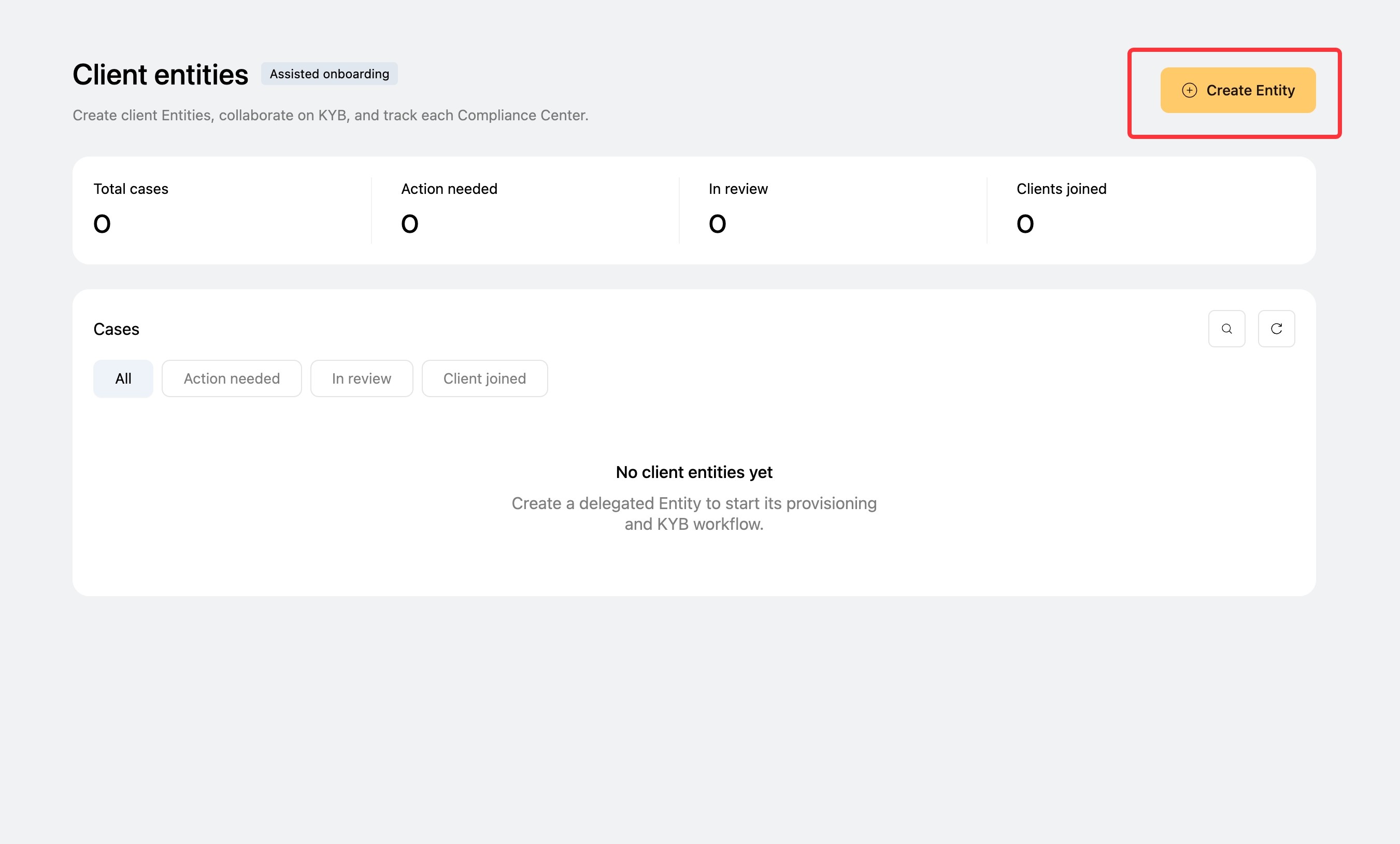
- Go to the Reah Agency Portal. If you're already signed in to Reah, the portal opens directly.
- Click Create Entity.
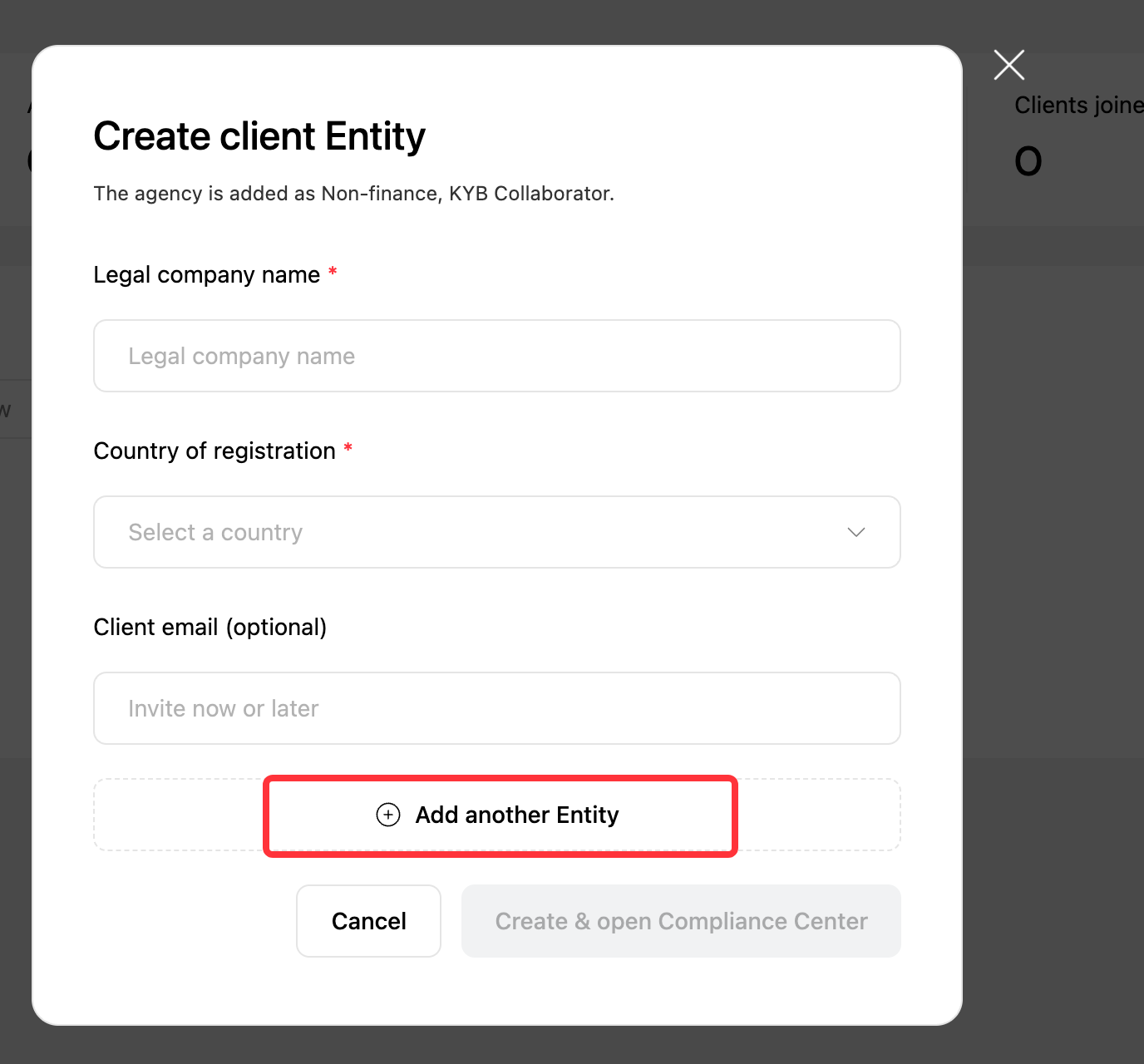
- Enter the entity name and its jurisdiction of registration.
- Enter the email address of the customer who will receive the entity, or add it later during handover.
You can also create multiple entities in bulk.
Complete KYB for your customer
After you create the entity, Reah takes you to the Compliance Center. Fill in the compliance and KYB information on your customer's behalf.

You can come back to the Compliance Center at any time. Select the entity on the Agency Portal home page to open its details page, then continue from there.

Track entity status
The Agency Portal home page shows every entity you've created. For each one, you can:
- Track its KYB progress.
- Review the KYB status from the Banking and Card providers separately.
- Check Client Access to see whether the entity has been handed over and the customer can access it.

Hand over an entity to your customer
- Enter the customer's email address and send the invitation.
- Once the customer accepts, they become the new Owner of the entity.
Handover doesn't depend on KYB status. You can hand over an entity even if its KYB isn't complete yet.

What your customer sees
The customer receives an email invitation. After signing in to Reah, they can review the pending entity invitation and accept it to become the entity Owner.


After handover, your account stays on the entity as a KYB Collaborator and appears under Settings → Members. You can keep helping with KYB in the Compliance Center, but you can't view the entity's financial information or manage the entity.

Invite someone to help with your KYB
If you're an entity Owner and need help completing KYB, use KYB Delegation to share Compliance Center access with another person.
- Open the Compliance Center.
- Click the invite option in the upper-right corner.
- Enter the person's email address and send the invitation.
Once they accept, they become a KYB Collaborator for the entity.


KYB Collaborator permissions
A KYB Collaborator can only view and complete information in the entity's Compliance Center. This applies whether they joined through KYB Delegation or stayed on after an Agency Portal handover.
- Can access the Compliance Center.
- Can't view financial information.
- Can't manage the entity.
The entity Owner can remove a KYB Collaborator at any time under Settings → Members.

Key things to know
- Agency Portal and the main Reah platform share the same account.
- An entity can be handed over before its KYB is complete.
- Banking and Card providers review KYB separately, so their statuses can differ.
- A KYB Collaborator never has access to the entity's financial information.
What to do next
Was this helpful?
Still need help? Ask the team