Convert assets
Last updated 2 months ago
Summary
Use this article to understand how asset conversion works in Reah — including converting between supported digital assets, converting fiat into stablecoins, and converting stablecoins into fiat.
How conversion works in Reah
Conversion in Reah lets your business move between supported asset types so you can operate across banking and onchain workflows without switching platforms.
Reah supports three conversion directions:
Converting one supported digital asset into another (for example, USDC to USDT or USDC to ETH)
Converting fiat into stablecoins
Converting stablecoins into fiat
Before you convert
Regardless of direction, confirm before submitting:
the source asset and balance are correct
the destination asset is what your team needs for the next step
displayed fees, spreads, rates, and settlement timing are acceptable
How to convert between digital assets
Open the Convert feature in Reah.
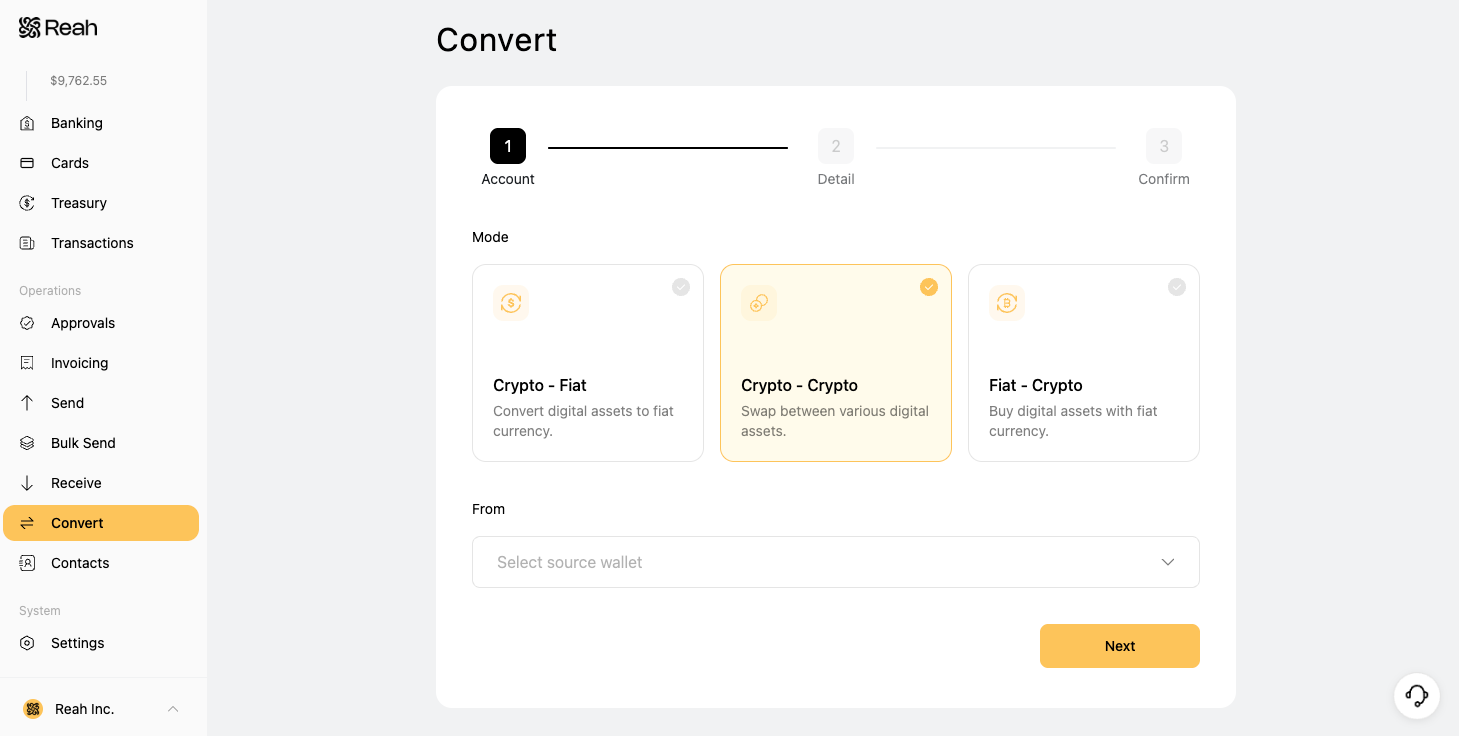
Select the source wallet you want to convert from.
Select the destination asset you want to convert to.
Enter the amount you want to convert.
Set the maximum acceptable change in output amount between approval and execution. (If the expected amount falls below this threshold, the conversion will not proceed)

Select the payment method for network fees.
Review the quoted outcome, fees, and timing.
Submit the conversion and track its status in Reah.
The converted asset will appear in your wallet once the transaction is settled.
How conversion workflows vary
Timing, requirements, and destination behavior differ by direction:
Digital asset to digital asset: stays onchain, typically faster settlement, no banking rails involved
Fiat to crypto: starts with a fiat balance, ends with a stablecoin or supported digital asset ready for onchain use
Crypto to fiat: starts with a stablecoin balance, ends with fiat ready for bank transfers or operating use
Why businesses use conversion workflows
Fund onchain operations from fiat balances
Convert stablecoins into bank-usable funds for transfers and payroll
Rebalance across stablecoin positions without leaving Reah
Simplify treasury operations across fiat and onchain rails
Which article to use for fiat to stablecoin conversion
If you are converting between fiat and stablecoins, go directly to the relevant workflow article:
Converting fiat into stablecoins → Convert fiat to crypto in Reah
Converting stablecoins into fiat → Convert crypto to fiat in Reah
What to do next
Was this helpful?
Still need help? Ask the team