Transfer crypto from Reah
Last updated 5 months ago
Summary
Send crypto from your Reah wallet to an external wallet address. This guide covers how to start a transfer, fill in the details, review the transaction, and submit it for approval.
How to start a transfer
You can initiate a crypto transfer from four places in Reah:
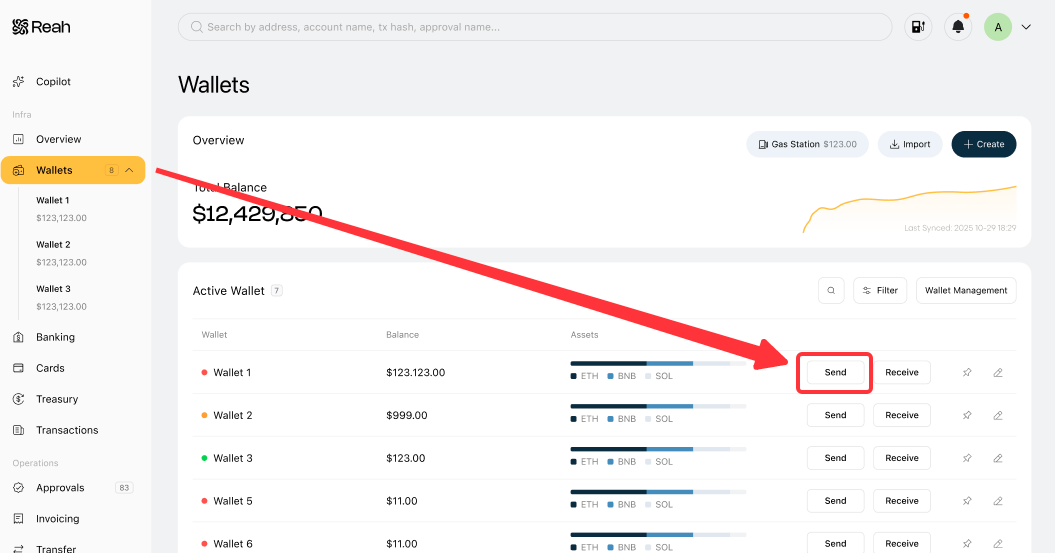
- Wallets overview — Click Send on any wallet row in the Wallets list.
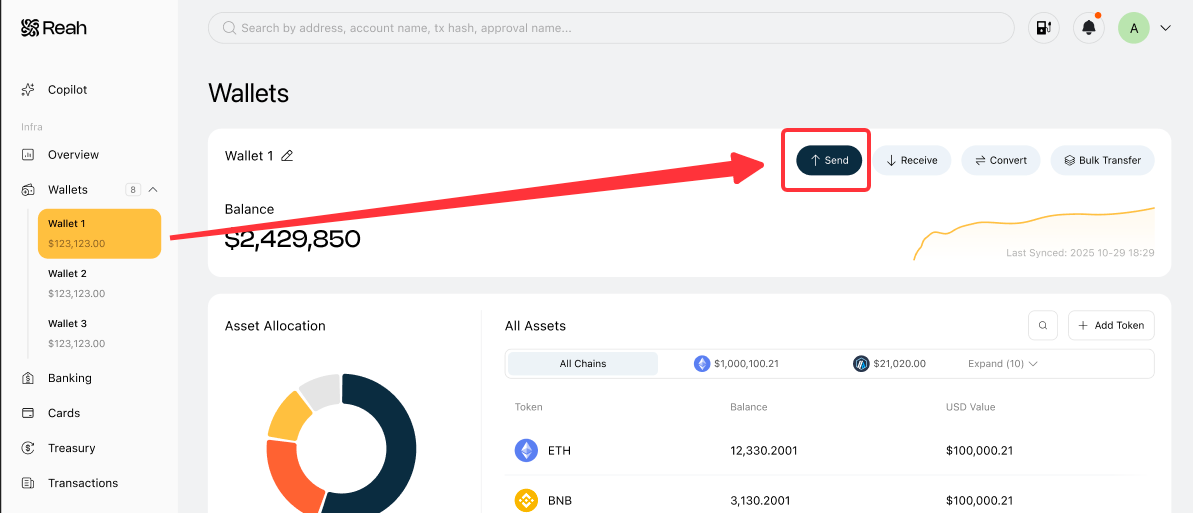
- Individual wallet page — Open a wallet, then click Send in the top-right action bar.
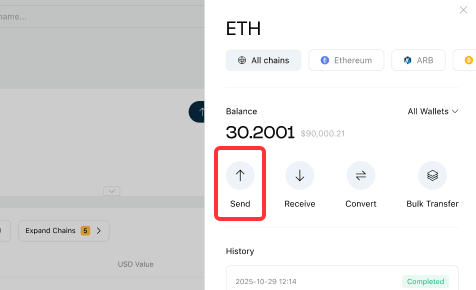
- Asset detail panel — Click into a specific asset (e.g. ETH), then click Send in the asset detail panel.
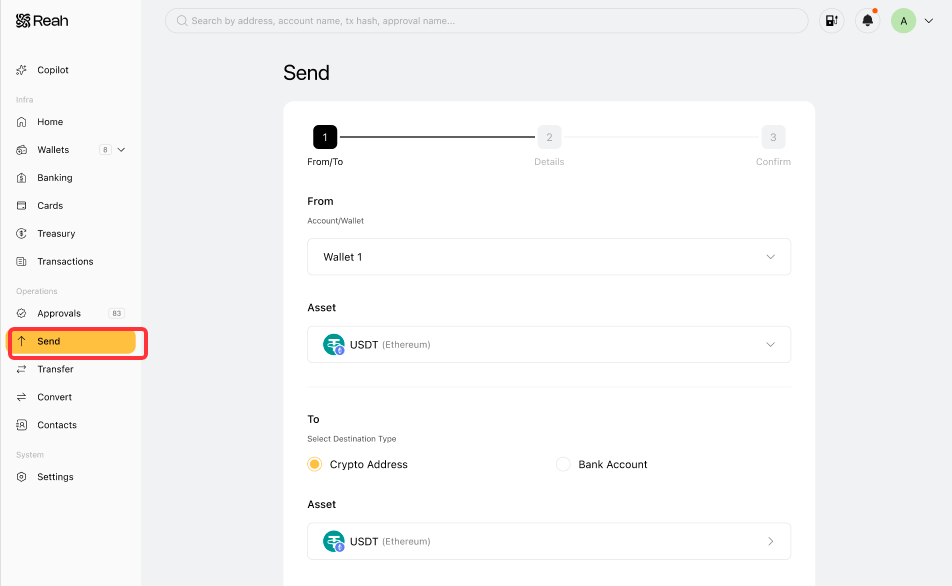
- Send page — Go directly to Send in the left sidebar under Operations.
Step 1: Select source and destination
- Under From, select the wallet you want to send from.
- Under Asset, select the token and chain you want to send (e.g. USDT on Ethereum).
- Under To, choose the Destination Type:
- Crypto Address — send to an external wallet
- Bank Account — send to a linked bank account
- If sending to a crypto address, select the destination Asset (token and chain) and enter the Recipient Address.
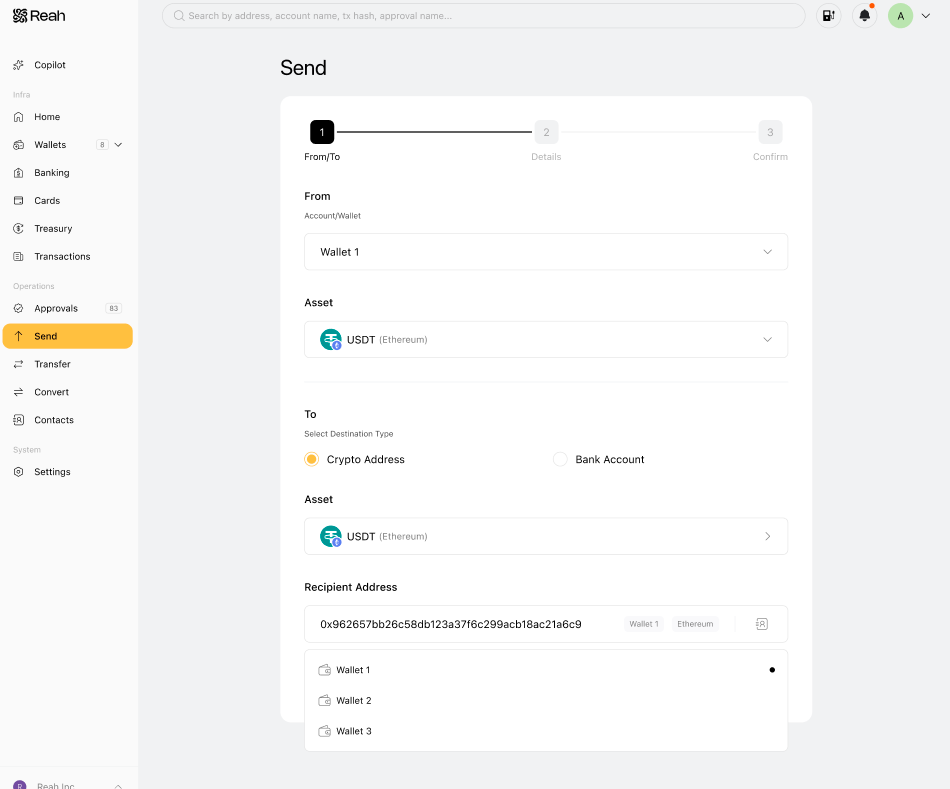
- Click Next.
Step 2: Enter transfer details
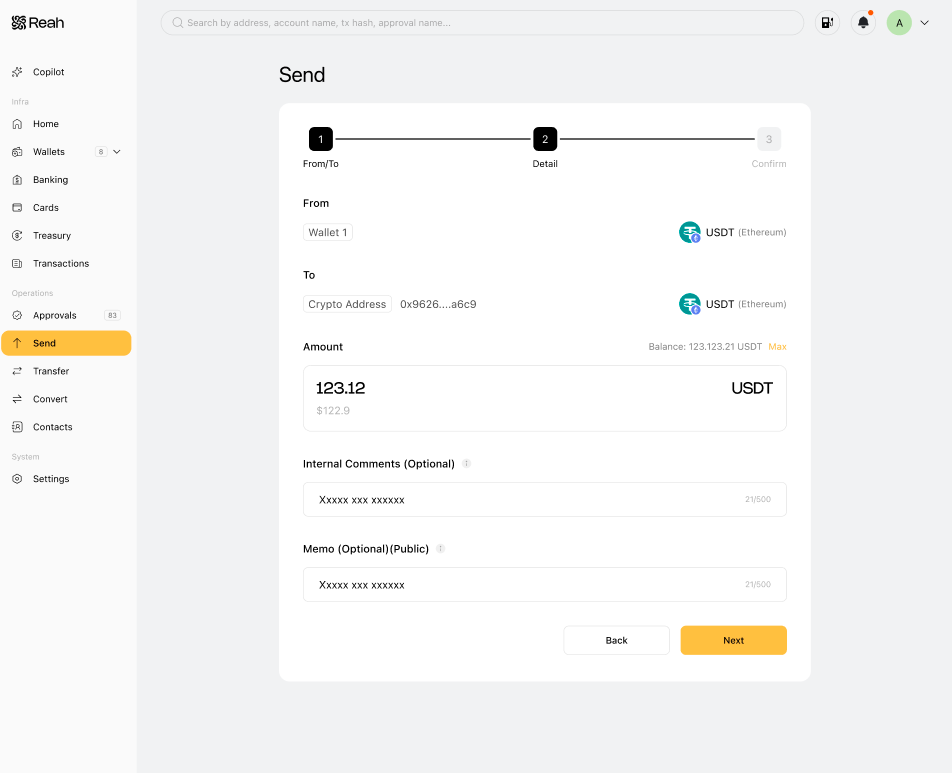
- Enter the Amount to send. Your available balance is shown to the right of the amount field. Click Max to send the full balance.
- Optionally, add an Internal Comment. This note is only visible to your entity and is not included onchain.
- Optionally, add a Memo. This is included in the transaction data and is visible to the recipient and on blockchain explorers.
- Click Next to proceed to review.
Step 3: Review and submit for approval
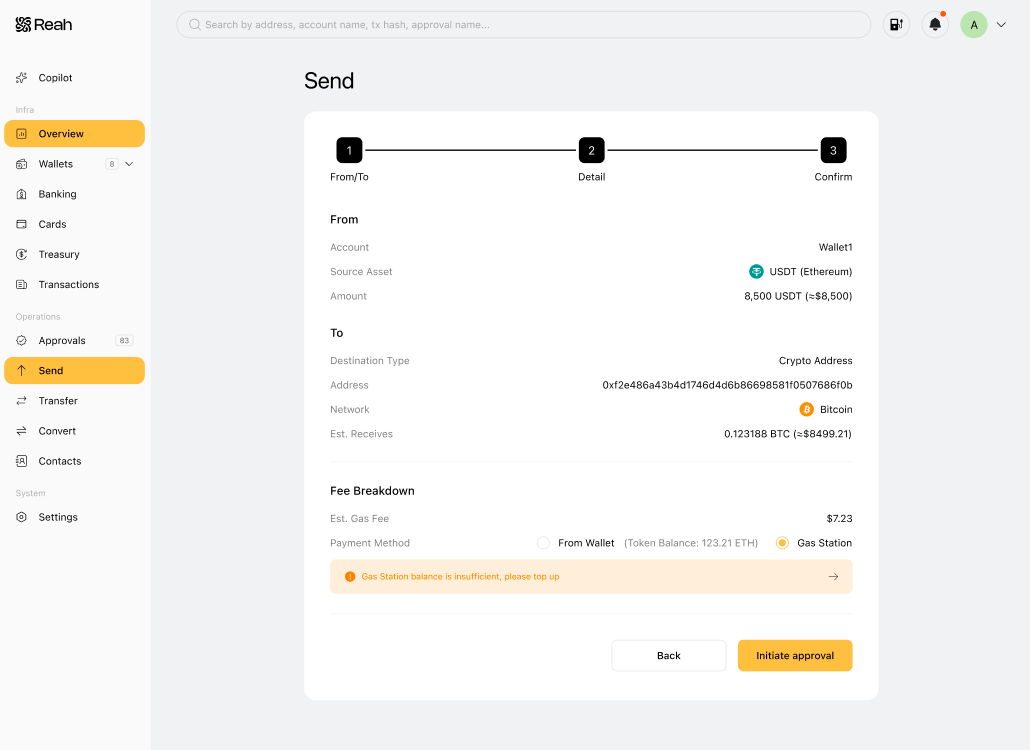
- Review all transaction details — source wallet, destination address, asset, chain, amount, and any comments or memos.
- Confirm the details are correct.
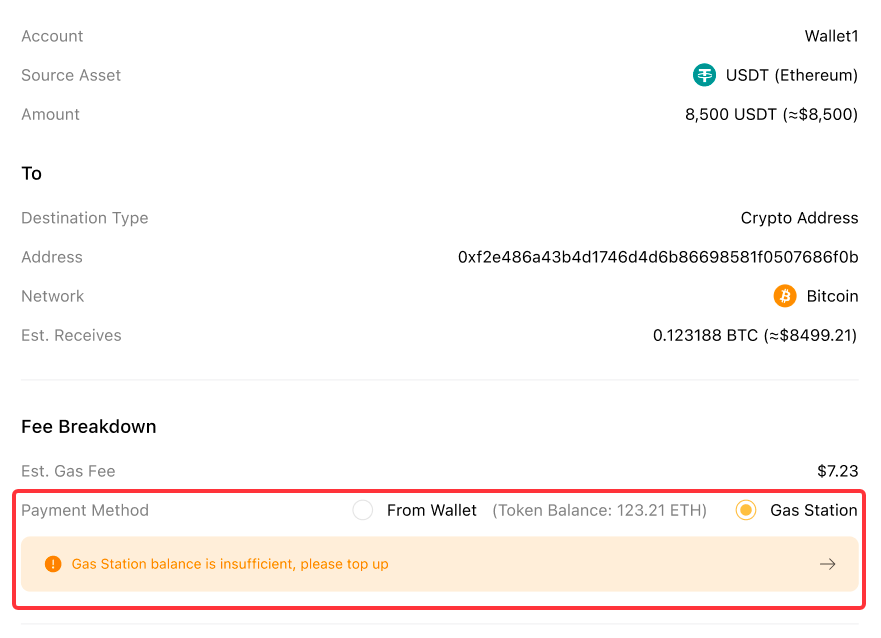
- Choose how to pay the network fee (gas fee): From Wallet or Gas Station(see "How Gas Station Works in Reah"). If your Gas Station balance is insufficient, top up before you submit.
- Submit the transaction. Depending on your workspace's approval policies, the transfer may require one or more approvals before it is executed onchain.
Before you transfer crypto
Before submitting a transfer, confirm:
- The asset and chain are supported in Reah
- The destination wallet address is correct and supports the selected chain
- Your wallet balance is sufficient for the transfer amount
- Your wallet has sufficient gas tokens on the relevant chain, or your Gas Station has enough balance (see "How Gas Station Works in Reah")
Transfer timing
Transfer timing depends on the blockchain network, network congestion, confirmation requirements, and any required approval steps. In general:
- Transfers may take longer when network activity is high
- The transfer remains pending until it is confirmed onchain
- Required approvals can delay when funds leave your Reah wallet
Why a transfer may be delayed
A crypto transfer may take longer than expected if:
- The transaction is still pending onchain confirmation
- The transfer is awaiting approval from one or more approvers
- Network congestion is causing delays
What to do next
Was this helpful?
Still need help? Ask the team