Product Update — September 23, 2026
A redesigned Reah Experience
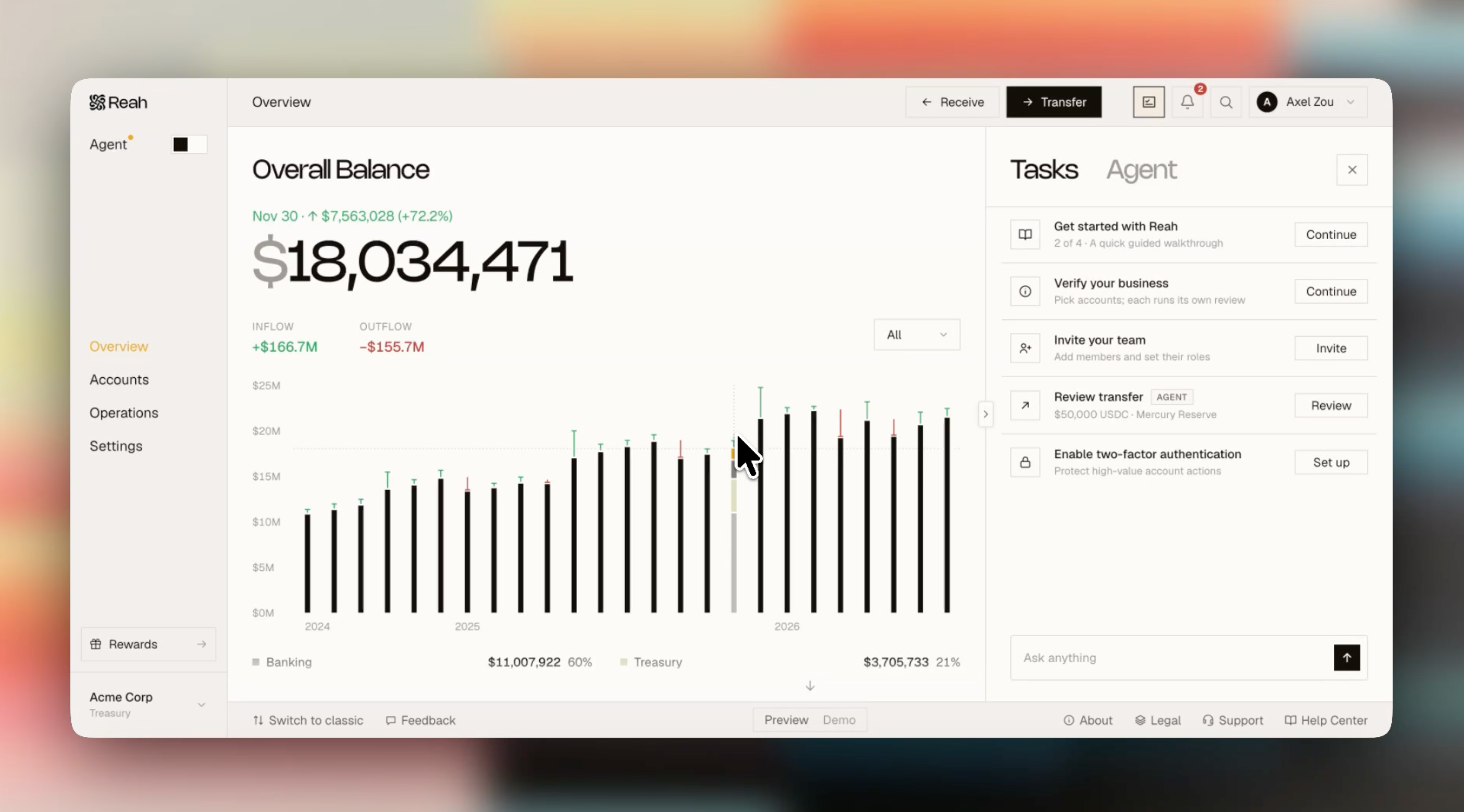
Overview now leads with your balance, assets, and incoming and outgoing transactions. Transfer and Receive are available from any page, and navigation is organized around what you’re doing. A short tour highlights the changes when you first sign in. If you prefer the classic dashboard, you can switch back from the bottom bar at any time.
Retry failed Sends or Converts
Your transaction details are saved automatically so you can try again without starting from scratch.
Check your bank payout access
A new page under Banking shows whether your account is cleared to send bank payouts, so you can check your status without contacting our team.
Adjust price protection on an approved transfer
Before execution, you can update price protection without restarting the approval. The original setting remains visible alongside the revision.
Add a reference to bank payouts
On supported rails, you can add a reference to a bank payout so the recipient can match it when it arrives.
More complete USD SWIFT deposit instructions
The dashboard, copied instructions, and PDF now include the clearing code and beneficiary address, making it easier to provide a sending bank with the required details.
Upload attachments in Transaction History
Add files directly to a transaction so supporting documents stay with the relevant record.
Share proof of a transaction
Send a transaction record directly from Reah to an external recipient.
File cleanup and previews
You can delete files you no longer need, work inside folders, and preview large CSV, text, and PDF files without downloading them.